


1. Log in to your Plesk account.
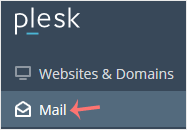
2. Click on Mail from the Sidebar Menu.
3. From the email list, click on the email account you want to rename.

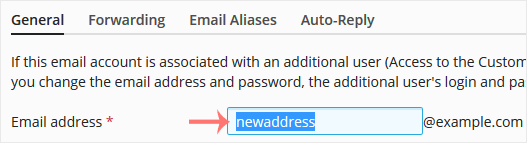
4. Enter the new email name in the email address field.
5. Scroll down and click OK.

Halloween Sale! up to 62% off 5-year hosting plans 00 Days Days 00 Hours Hrs 00 Minutes Min 00 Seconds Sec

1. Log in to your Plesk account.
2. Click on Mail from the Sidebar Menu.
3. From the email list, click on the email account you want to rename.
4. Enter the new email name in the email address field.
5. Scroll down and click OK.
Follow this tutorial to create an email account in Plesk. 1. Log in to your Plesk account....
You can access your Email directly from Webmail. Open https://webmail.example.com, and...
You can change your email password in Plesk through the following steps: 1. Log in to your...

The biggest sale of the year is here! Get 5 year hosting access to our plans with a 62% discount. Limited-time offer!
00 Days Days 00 Hours Hrs 00 Minutes Min 00 Seconds Sec
